


Best Laravel Hosting Guide 2026:Performance, Speed, Scalability & Security
Laravel can run almost anywhere PHP runs, but production performance depends heavily on the environment around it. The right hosting platform should give Laravel fast PHP execution, OPcache, Redis, queue workers, database performance, predictable resources, monitoring, backups and room to scale.

Laravel 13 + Modern PHP Hosting
Laravel 13 is the current major Laravel release and supports PHP 8.3 through PHP 8.5. A hosting platform for modern Laravel should therefore support a current PHP runtime, Composer-based deployments, persistent queue workers, scheduling, caching, secure environment variables and production monitoring.
What Makes Laravel Hosting Good?
Fast PHP Runtime
Current PHP, tuned PHP-FPM or an appropriate application server, and OPcache reduce request overhead.
Redis & Application Cache
Fast cache and session storage reduce repeated database and application work.
Reliable Queue Workers
Background jobs need persistent supervised workers rather than fragile manual processes.
Fast Database Layer
Laravel performance can be dominated by queries, indexes and database latency.
Monitoring
CPU, memory, PHP workers, database, queue depth, errors and response times should be visible.
Security & Backups
Runtime patching, firewalling, access control and tested backups matter as much as raw speed.
Shared Hosting vs VPS vs Managed Laravel Hosting
Laravel does not automatically require expensive infrastructure. The right environment depends on traffic, queue volume, database load, deployment requirements and how much server management your team wants to own.
Shared Hosting
Works for small applications when the provider supports the required PHP version, Composer and scheduling. Resource isolation, Redis and persistent workers may be limited.
VPS Hosting
Gives your team more control over PHP, Redis, queues, web servers and databases, but you are responsible for patching, monitoring and tuning unless the VPS is managed.
Managed Laravel Hosting
Best suited to teams that want Laravel-aware infrastructure, caching, queue management, monitoring, backups, security and engineering support without managing every server detail.
Laravel Hosting Speed Matrix
This matrix focuses on the hosting capabilities that typically influence Laravel performance and operational reliability.
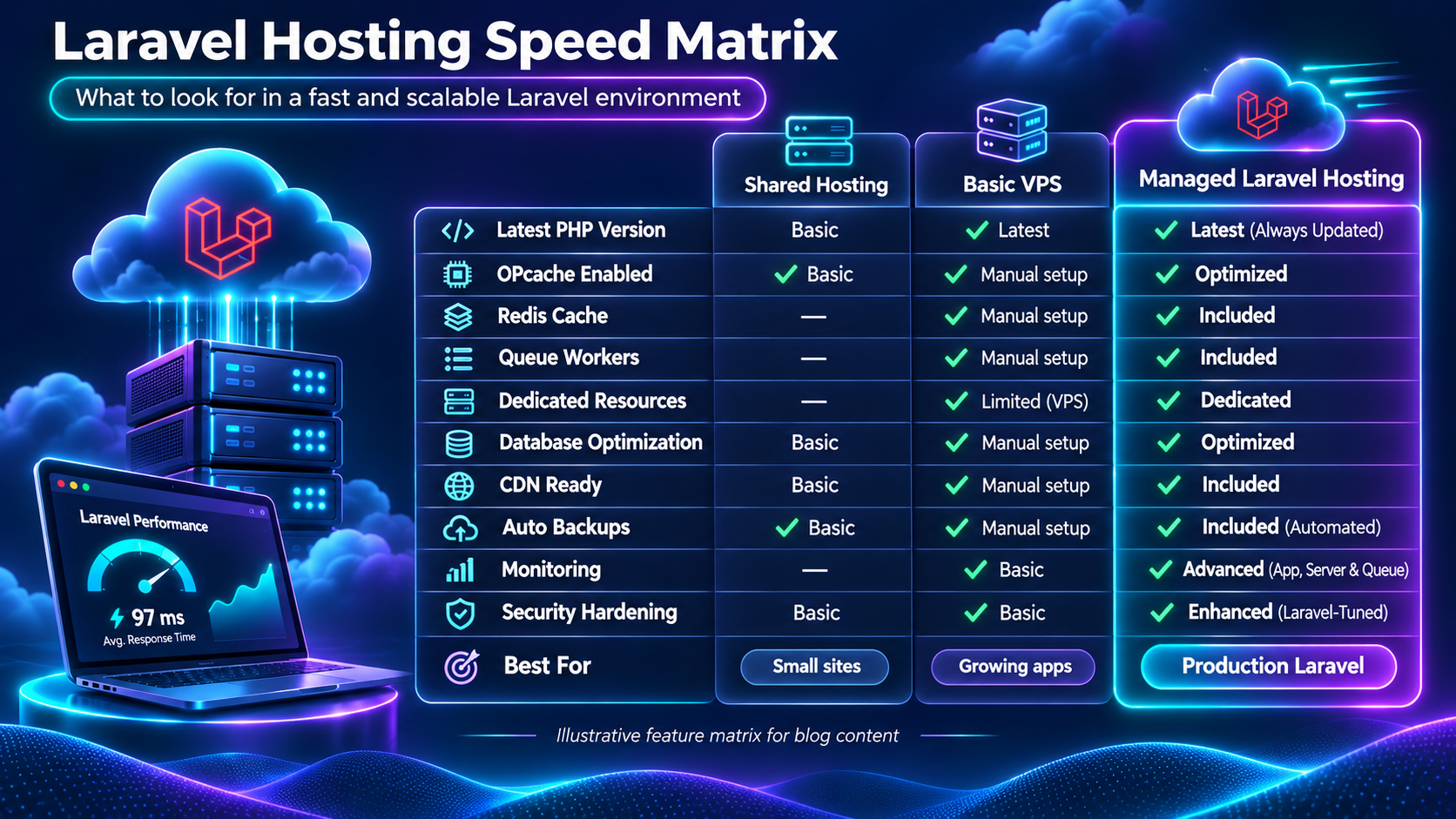
| Capability | Shared Hosting | Basic VPS | Managed Laravel |
|---|---|---|---|
| Current PHP Support | Limited / provider dependent | Usually configurable | Laravel-tuned current PHP |
| OPcache | Basic | Manual configuration | Optimized |
| Redis Cache | Often unavailable | Manual setup | Included / managed |
| Queue Workers | Restricted or manual | Manual setup | Managed workers |
| Dedicated Resources | No | Partial / VPS based | Dedicated or isolated |
| Database Optimization | Basic | Manual | Managed tuning |
| CDN Ready | Basic | Manual | Integrated |
| Automated Backups | Basic / add-on | Manual | Managed |
| Monitoring | Limited | Server-level | App + server + queue visibility |
| Security Hardening | Generic | Self-managed | Laravel-aware managed security |
Laravel Hosting Performance Test
When comparing hosting, test the application rather than relying only on CPU or RAM specifications. Response time, throughput, TTFB, error rate, database latency and queue throughput reveal much more about how the stack behaves under real work.
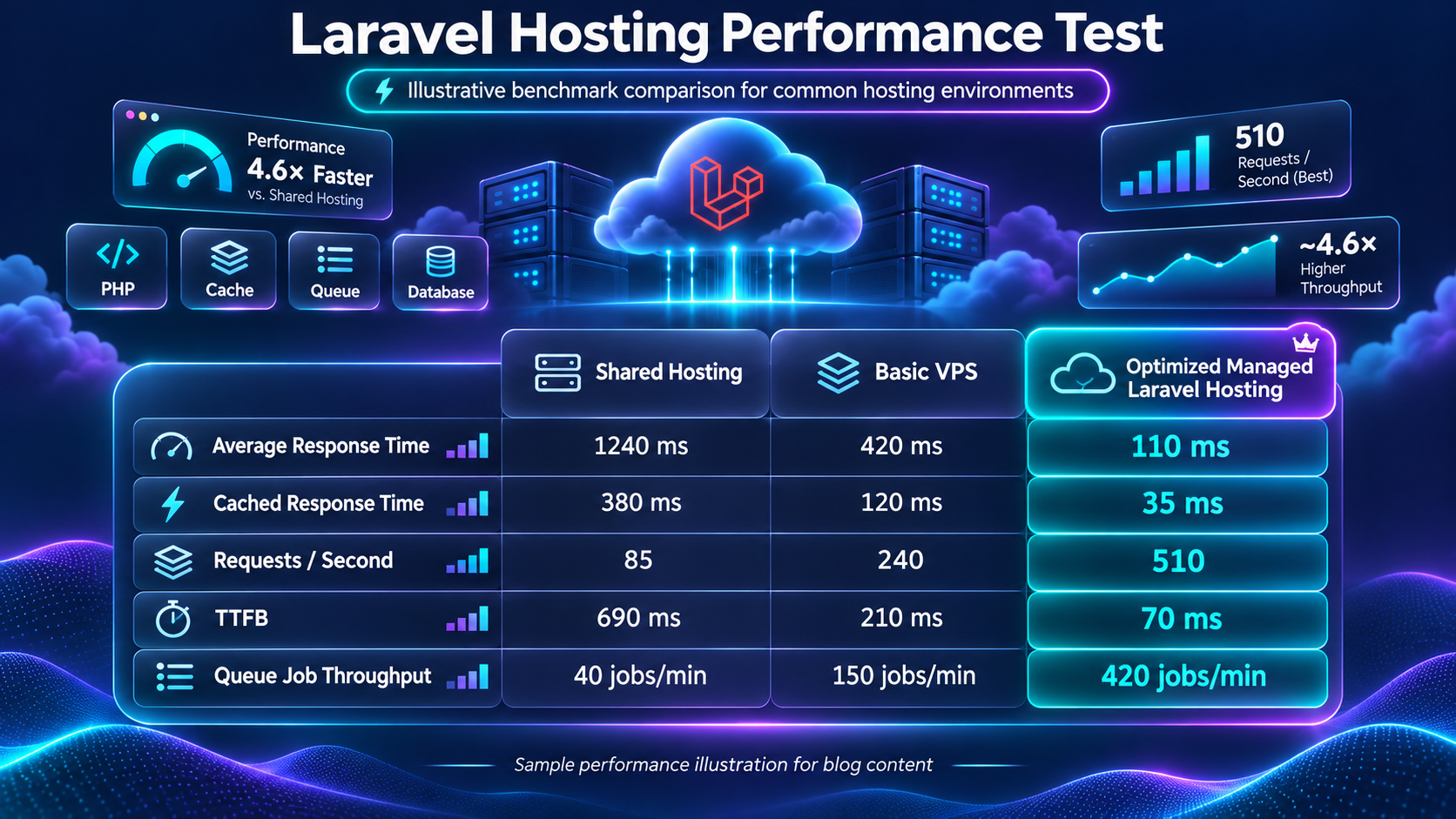
Benchmark note: The figures below are illustrative example results for explaining benchmark methodology. They are not measured CloudRevol production benchmarks and should not be used as guaranteed performance claims.
| Metric | Shared Hosting | Basic VPS | Optimized Managed Laravel |
|---|---|---|---|
| Average Response Time | 1240 ms | 420 ms | 110 ms |
| Cached Response Time | 380 ms | 120 ms | 35 ms |
| Requests / Second | 85 | 240 | 510 |
| TTFB | 690 ms | 210 ms | 70 ms |
| Queue Job Throughput | 40 jobs/min | 150 jobs/min | 420 jobs/min |
How to Run Your Own Laravel Speed Test
Use the same application build and database state on each environment. Warm caches before the test, run several passes and record percentile latency and errors—not only the fastest request.
Simple HTTP Throughput Test with wrk
wrk -t4 -c50 -d30s --latency https://your-laravel-app.example.com/This example uses four threads, 50 concurrent connections and a 30-second run. Adjust concurrency to represent your expected traffic rather than blindly maximizing the number.
Measure Application Response Time
curl -o /dev/null -s -w 'TTFB: %{time_starttransfer}s
Total: %{time_total}s
HTTP: %{http_code}
' https://your-laravel-app.example.com/
Check Queue Health
php artisan queue:monitor default

# If Laravel Horizon is installed:
php artisan horizon:status
Laravel Production Optimization Checklist
Run Laravel optimization during deployment
Use php artisan optimize to cache production configuration, events, routes and views where appropriate.
Enable PHP OPcache
OPcache keeps compiled PHP bytecode in memory and reduces repeated compilation overhead.
Use Redis strategically
Redis can power application cache, sessions, rate limiting and queues for latency-sensitive workloads.
Move slow tasks to queues
Email, reports, exports, webhooks and other non-interactive work should not block user-facing requests.
Supervise queue workers
Persistent workers must be monitored and restarted safely during deployments.
Optimize database queries
Indexes, N+1 queries, connection latency and inefficient ORM patterns often dominate application response time.
Serve static assets efficiently
Use browser caching, compression, image optimization and a CDN for globally distributed users.
Monitor after deployment
Track response time, errors, CPU, memory, worker health, database performance and queue depth.
Production Deployment Optimization
composer install --no-dev --prefer-dist --optimize-autoloader

php artisan optimize

php artisan migrate --force
Laravel's deployment documentation recommends the optimize command for production caching. Make sure environment variables are accessed through configuration files before caching configuration.
Redis, Queues and Horizon
A high-performing Laravel application should avoid doing slow work during the HTTP request whenever possible. Redis-backed queues are a common choice for background processing, while Horizon provides visibility into throughput, runtime and failed jobs.
Redis Cache
Reduce repeated computation and database work.
Queue Workers
Process jobs outside the user-facing request lifecycle.
Horizon
Monitor Redis queue throughput, runtime and failures.
When Should You Use Laravel Octane?
Laravel Octane keeps the application booted in memory and serves requests using high-performance application servers such as FrankenPHP, Swoole and RoadRunner. This can reduce framework boot overhead and increase throughput for suitable applications.
composer require laravel/octane

php artisan octane:install

# Example worker configuration
php artisan octane:start --workers=4
Octane is not a checkbox optimization for every project. Long-lived workers require application code and dependencies to behave correctly across multiple requests. Benchmark your own workload before adopting it.
A Laravel Stack Built for Production
CloudRevol can combine managed cloud infrastructure with current PHP, OPcache, Redis, database services, queue workers, monitoring, backups, security hardening and performance optimization so your team can focus on the application rather than maintaining every layer of the hosting stack.
Frequently Asked Questions
What is the best type of hosting for Laravel?+
For production Laravel applications, managed cloud or properly configured VPS hosting is usually a better fit than traditional shared hosting because Laravel often benefits from dedicated resources, current PHP, Redis, queue workers, cron scheduling, deployment access and application monitoring.
Which PHP versions does Laravel 13 support?+
Laravel 13 supports PHP 8.3 through PHP 8.5 according to the current Laravel support policy.
Does Laravel need Redis?+
Laravel does not require Redis for every application, but Redis is commonly used for fast cache storage, sessions, rate limiting and queues. It becomes increasingly valuable as traffic and background workloads grow.
What is Laravel Horizon?+
Laravel Horizon provides a dashboard and configuration system for Redis-backed Laravel queues, including visibility into job throughput, runtime and failures.
Should I use Laravel Octane?+
Octane can improve throughput for suitable applications by keeping the framework booted in memory and serving requests through application servers such as FrankenPHP, Swoole or RoadRunner. It should be tested carefully because long-lived workers change some application lifecycle assumptions.
How do I optimize Laravel for production?+
Use production configuration, disable debug output, run Laravel's optimize command during deployment, configure OPcache, use appropriate caching, move slow work to queues, optimize database queries and indexes, and monitor application and infrastructure metrics.
Is shared hosting good for Laravel?+
Shared hosting can work for small Laravel applications when the provider supports the required PHP version and deployment features, but queue workers, Redis, scheduling, process control, performance isolation and scaling may be limited.
How should I benchmark Laravel hosting?+
Use the same application build, dataset, PHP configuration and cache state when comparing environments. Measure response time percentiles, TTFB, requests per second, error rate, database latency, CPU and memory usage, and queue throughput under controlled load.
Are the benchmark numbers in this article CloudRevol production results?+
No. The comparison numbers shown here are illustrative examples designed to demonstrate what to measure. Actual results depend on application code, resources, network location, database design, cache state and traffic profile.
How does CloudRevol help with Laravel hosting?+
CloudRevol can provide managed infrastructure, current PHP runtimes, Redis, databases, queue-worker support, monitoring, backups, security hardening, performance optimization and engineering assistance for Laravel applications.
Choose Hosting Based on Your Laravel Workload
Benchmark your real application, not just the server specification. A fast Laravel platform combines efficient code, fast PHP, good caching, a healthy database, reliable queue workers and infrastructure that remains predictable as traffic grows.