

Docker Compose Production Guide
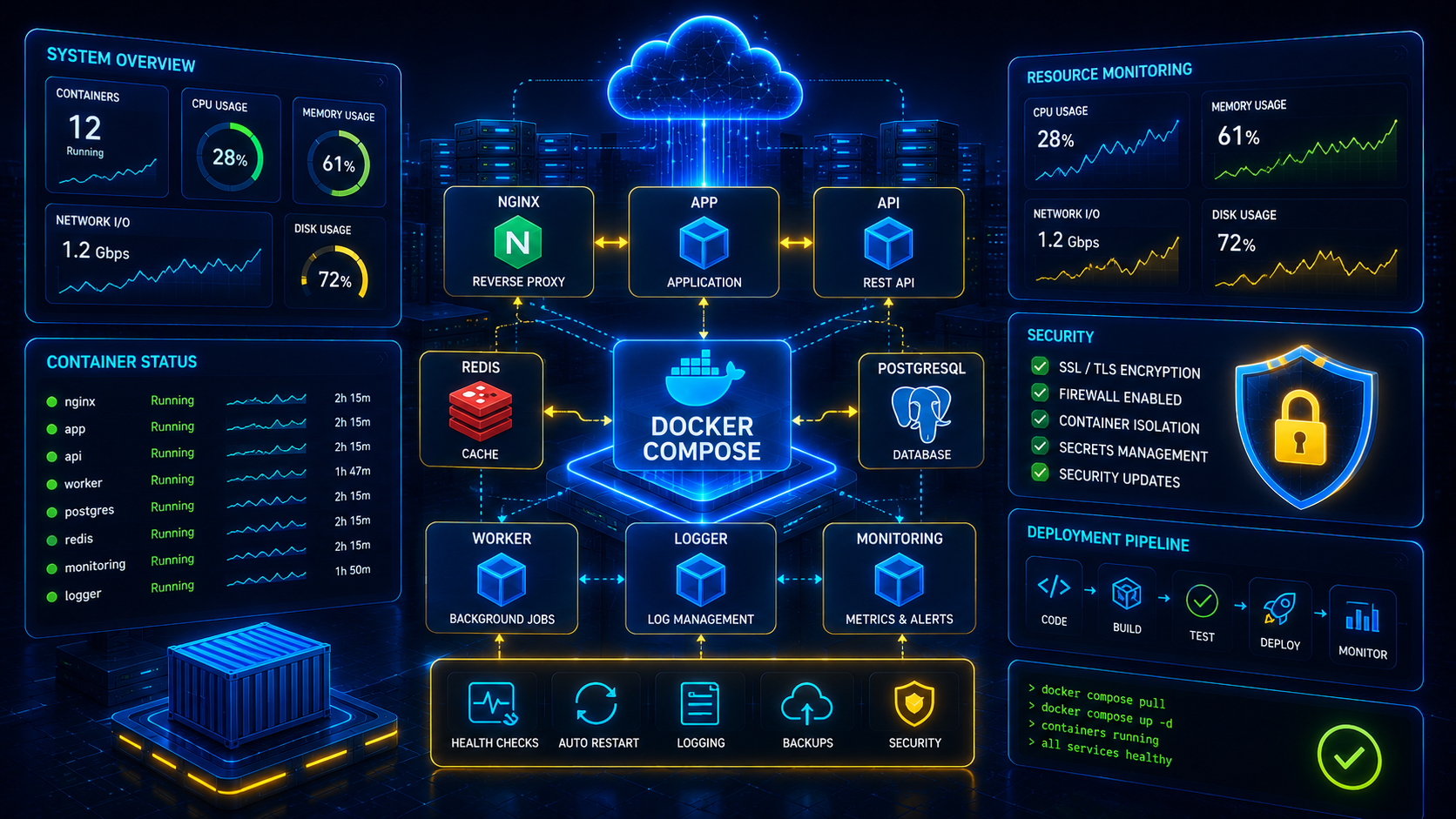
Docker Compose is one of the most popular tools for managing multi-container applications. This guide covers production deployment strategies, security, monitoring, backups and best practices for running containers reliably.
Production Deployment Checklist
Install Docker Engine
sudo apt update

sudo apt install ca-certificates curl gnupg lsb-release -ycurl -fsSL https://download.docker.com/linux/ubuntu/gpg | sudo gpg --dearmor -o /usr/share/keyrings/docker.gpgsudo apt install docker-ce docker-ce-cli containerd.io -ydocker --versionInstall Docker Compose
docker compose versionsudo systemctl enable docker
sudo systemctl start dockerVerify Installation
docker run hello-worlddocker psdocker imagesRecommended Production Folder Structure
/applications/

├── docker-project/

│   ├── docker-compose.yml

│   ├── .env

│   ├── nginx/

│   ├── postgres/

│   ├── redis/

│   ├── logs/

│   ├── backups/

│   └── app/
CloudRevol Recommendation
Separate application code, databases, backups and logs into dedicated directories. This simplifies maintenance, monitoring and disaster recovery.
Basic Docker Compose Commands
docker compose up -ddocker compose downdocker compose restartdocker compose logs -fdocker compose psdocker compose pulldocker compose builddocker compose up -d --buildProduction Docker Compose Example
The following structure demonstrates a common production deployment pattern.
version: "3.9"

services:

  app:

    image: myapp:latest

    restart: unless-stopped

    ports:
      - "3000:3000"

    env_file:
      - .env

    networks:
      - app-network

networks:

  app-network:
    driver: bridge
Container Restart Policies
restart: alwaysrestart: unless-stoppedrestart: on-failurealways
Automatically restart containers.
unless-stopped
Recommended production option.
on-failure
Restart only when crashes occur.
Multi Container Architecture
PostgreSQL Container
PostgreSQL is one of the most reliable databases for production workloads. Store database data on persistent Docker volumes to prevent data loss.
postgres:

  image: postgres:17

  container_name: postgres

  restart: unless-stopped

  environment:

    POSTGRES_DB: appdb

    POSTGRES_USER: appuser

    POSTGRES_PASSWORD: StrongPassword

  volumes:

    - postgres_data:/var/lib/postgresql/data

  networks:

    - app-network
Redis Container
Redis improves application performance through object caching, session storage and queue processing.
redis:

  image: redis:7-alpine

  container_name: redis

  restart: unless-stopped

  command: redis-server --appendonly yes

  volumes:

    - redis_data:/data

  networks:

    - app-network
Nginx Reverse Proxy
Nginx should always sit in front of production containers to provide SSL, security headers, rate limiting and load balancing.
nginx:

  image: nginx:latest

  container_name: nginx

  restart: unless-stopped

  ports:

    - "80:80"

    - "443:443"

  volumes:

    - ./nginx:/etc/nginx/conf.d

  depends_on:

    - app

  networks:

    - app-network
Environment Variables
Never store credentials directly inside docker-compose.yml.
APP_NAME=cloudrevol-app

NODE_ENV=production

DB_HOST=postgres

DB_PORT=5432

DB_NAME=appdb

DB_USER=appuser

DB_PASSWORD=StrongPassword

REDIS_HOST=redis

REDIS_PORT=6379
Docker Volumes
Volumes ensure application data survives container recreation.
volumes:

  postgres_data:

  redis_data:

  uploads_data:

logs_data:docker volume lsdocker volume inspect postgres_dataDocker Networks
networks:

  app-network:

driver: bridgedocker network lsdocker network inspect app-networkCloudRevol Recommendation
Use isolated Docker networks for production services. Never expose PostgreSQL, Redis or internal services directly to the public internet.
Health Checks
Health checks allow Docker to verify services are operating correctly.
healthcheck:

  test: ["CMD", "curl", "-f", "http://localhost:3000/health"]

  interval: 30s

  timeout: 10s

  retries: 3

  start_period: 20s
Application Health Endpoint
app.get('/health', (req, res) => {

  res.status(200).json({
    status: 'healthy'
  });

});
SSL Certificates
Protect applications with HTTPS using Let's Encrypt.
sudo apt install certbot -ysudo certbot certonly --standalone -d example.comsudo certbot renew --dry-runProduction Docker Compose Example
version: "3.9"

services:

  nginx:
    image: nginx:latest

  app:
    image: myapp:latest

  postgres:
    image: postgres:17

  redis:
    image: redis:7-alpine

volumes:

  postgres_data:

  redis_data:

networks:

  app-network:
    driver: bridge
Persistent Storage
Store application and database data outside containers.
Isolated Networks
Separate internal traffic from public services.
Docker Security Best Practices
Security should be built into every production deployment. Containers are not automatically secure and require proper hardening.
Avoid
- ✗ Running Containers As Root
- ✗ Exposing Databases Publicly
- ✗ Hardcoding Secrets
- ✗ Using Latest Tags Everywhere
Recommended
- ✓ Least Privilege Access
- ✓ Private Networks
- ✓ Secrets Management
- ✓ Version Pinning
Resource Limits
Prevent containers from consuming excessive resources.
services:

  app:

    deploy:

      resources:

        limits:

          cpus: '2'

          memory: 2G

        reservations:

          memory: 512M
Container Logs
docker compose logs -fdocker logs container-namedocker logs -f container-nameMonitoring Containers
docker statsdocker inspect container-namedocker top container-nameBackup Strategy
Production environments should always have automated backups.
docker exec postgres pg_dump -U appuser appdb > backup.sqltar -czvf uploads-backup.tar.gz uploads/rsync -av backups/ remote-server:/backupsBackup Best Practices
- ✓ Daily Backups
- ✓ Offsite Storage
- ✓ Automated Verification
- ✓ Disaster Recovery Testing
- ✓ Multiple Retention Policies
Updating Containers
docker compose pulldocker compose up -ddocker image prune -aZero Downtime Deployments
Production deployments should minimize downtime during updates and releases.
- ✓ Use Reverse Proxies
- ✓ Health Checks
- ✓ Rolling Deployments
- ✓ Blue/Green Releases
- ✓ Automated Rollbacks
CloudRevol Docker Hosting Stack
CloudRevol provides production-ready Docker hosting optimized for performance, security and reliability.
Frequently Asked Questions
Is Docker Compose suitable for production?
Yes. Docker Compose is widely used for production workloads when combined with proper monitoring, security and backup strategies.
Should PostgreSQL run in Docker?
Yes, provided persistent volumes and backup strategies are properly configured.
Should Redis run in Docker?
Redis performs extremely well in containers and is commonly deployed using Docker Compose.
What is the best Docker Compose architecture?
Nginx + Application + PostgreSQL + Redis with monitoring, backups and isolated networks.
Need Help Running Docker In Production?
CloudRevol provides fully managed Docker hosting, container optimization, monitoring, security hardening, backups and expert DevOps support.