


Docker & Container Cheat Sheet
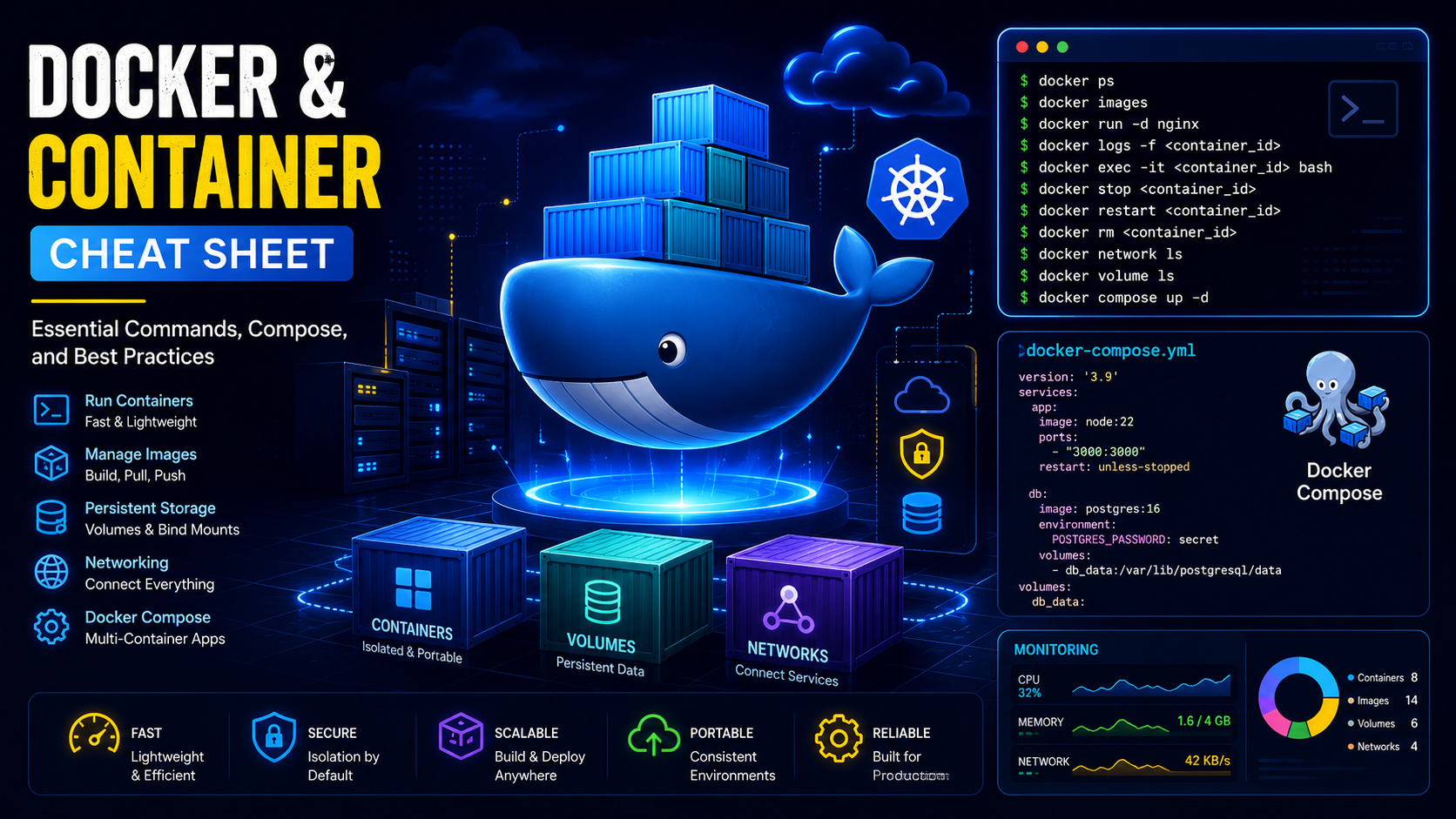
Learn the most useful Docker commands for managing containers, images, networking, volumes, Docker Compose deployments and production workloads.
In This Guide
Install Docker
curl -fsSL https://get.docker.com | sudo bashdocker --versiondocker infoDocker Images
docker imagesdocker pull nginxdocker pull ubuntu:24.04docker image inspect nginxdocker rmi IMAGE_IDContainer Management
docker psdocker ps -adocker run -d nginxdocker start CONTAINER_IDdocker stop CONTAINER_IDdocker restart CONTAINER_IDdocker rm CONTAINER_IDAccess Container Shell
docker exec -it CONTAINER_ID bashdocker exec -it CONTAINER_ID shLogs & Monitoring
docker logs CONTAINER_IDdocker logs -f CONTAINER_IDdocker statsdocker top CONTAINER_IDVolumes
docker volume lsdocker volume create mydatadocker volume inspect mydatadocker volume rm mydataDocker Networking
docker network lsdocker network create mynetworkdocker network inspect mynetworkdocker network rm mynetworkDocker Compose Example
services:

  app:
    image: nginx
    container_name: nginx-app

    ports:
      - "80:80"

    restart: unless-stopped
Docker Compose Commands
docker compose up -ddocker compose downdocker compose restartdocker compose logs -fDocker Cleanup Commands
docker system prune -adocker image prunedocker volume prunedocker network pruneDocker Best Practices
Use Official Images
Prefer official Docker Hub images whenever possible.
Keep Containers Stateless
Store data in volumes instead of containers.
Use Docker Compose
Manage multiple containers efficiently.
Monitor Resource Usage
Regularly review docker stats.
Frequently Asked Questions
What is Docker?
Docker is a containerization platform that allows applications and their dependencies to run consistently across development, testing and production environments.
What is the difference between Docker and a Virtual Machine?
Virtual machines include a full operating system, while Docker containers share the host kernel and are significantly lighter, faster and more resource efficient.
What is Docker Compose used for?
Docker Compose allows multiple containers to be defined and managed using a single YAML file, making application deployment much easier.
How do I view running Docker containers?
docker psThis command displays all active containers running on the server.
How do I view Docker container logs?
docker logs CONTAINER_IDLogs help troubleshoot application issues and monitor activity.
What are Docker Volumes?
Docker volumes provide persistent storage that survives container restarts and recreations, making them ideal for databases and application data.
What are Docker Networks?
Docker networks allow containers to communicate securely with each other while remaining isolated from external systems when required.
How do I restart a Docker container?
docker restart CONTAINER_IDThis safely restarts a running container.
Is Docker suitable for production environments?
Yes. Docker is widely used in production for hosting web applications, APIs, databases, microservices and DevOps workloads.
What are Docker best practices for production?
Use official images, configure restart policies, store persistent data in volumes, monitor resource usage, update images regularly and secure exposed ports.
Docker Compose or Kubernetes?
Docker Compose is ideal for small to medium deployments, while Kubernetes is better suited for large-scale container orchestration and enterprise environments.
Does Docker improve application performance?
Docker itself does not automatically make applications faster, but it improves deployment consistency, scalability and resource utilization.
Need Help Deploying Docker Containers?
CloudRevol provides managed cloud hosting, Docker deployments, monitoring, backups, free migration and expert support.