


Elementor Pro Vulnerability:Unauthenticated File Upload Could Lead to Remote Code Execution
A critical security issue disclosed in Elementor Pro could allow unauthenticated attackers to upload malicious files through vulnerable form configurations and potentially execute code on affected WordPress servers.
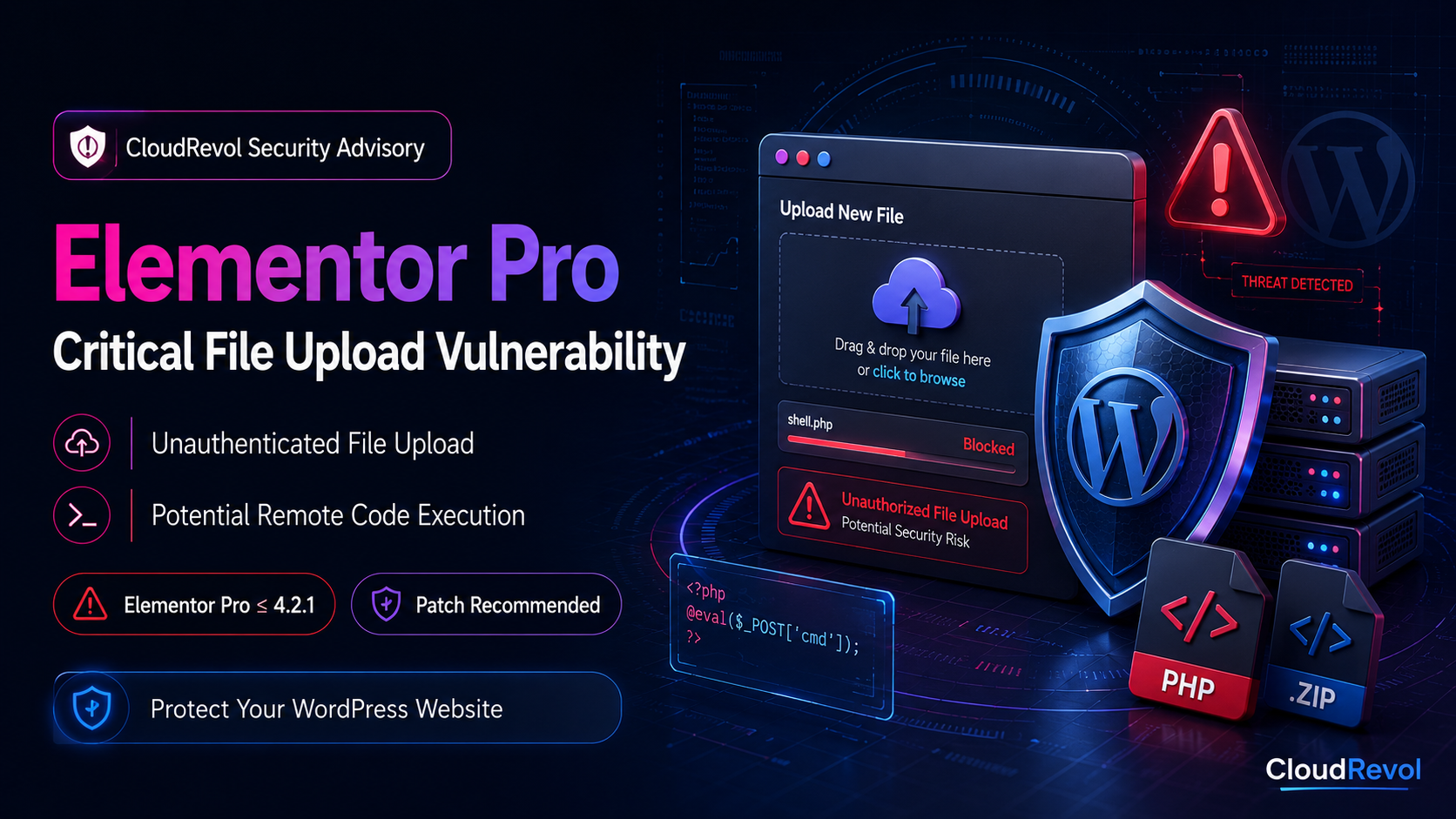
Executive Summary
A high-severity vulnerability has been publicly disclosed in Elementor Pro, one of the most widely used premium page-building plugins in the WordPress ecosystem.
The reported vulnerability affects Elementor Pro installations through version 4.2.1 and involves insufficient restrictions around file uploads in the Forms module.
Under vulnerable configurations, an unauthenticated attacker may be able to submit a malicious executable file through an Elementor form containing a File Upload field.
If executable server-side code can be successfully uploaded and accessed, the weakness could potentially lead to remote code execution and a broader compromise of the affected WordPress website.
Elementor Pro Vulnerability at a Glance
Website administrators using Elementor Pro should understand the key characteristics of the vulnerability and verify that their WordPress environments are running a secure version.
Critical Security Risk
Public vulnerability disclosures assign the issue a reported CVSS score of 9.0, placing it within the critical-risk range.
No Authentication Required
The vulnerability is reported as being exploitable without an attacker first authenticating to the WordPress dashboard.
Arbitrary File Upload
The security weakness relates to insufficient restrictions on files uploaded through affected Elementor Pro Forms configurations.
Remote Code Execution
Uploading an executable PHP payload could potentially allow an attacker to execute commands within the affected website's server environment.
Elementor Pro Forms
The reported attack path involves the Elementor Pro Forms module when a vulnerable form includes the File Upload field.
Security Update Required
Administrators should verify their installed Elementor Pro version and apply the latest vendor-provided security release.
What Is the Elementor Pro File Upload Vulnerability?
Elementor Pro extends the popular Elementor page builder with advanced functionality including forms, dynamic content, integrations and additional design capabilities.
One of these capabilities allows website owners to create forms containing a File Upload field. File upload functionality requires particularly careful security controls because uploaded content ultimately reaches the web server.
According to the public security disclosure, affected Elementor Pro versions did not sufficiently prevent certain executable files from being uploaded through vulnerable form configurations.
If a malicious PHP file reaches a publicly accessible location and the web server processes that file as executable PHP, the attacker could potentially execute unauthorized code within the website environment.
Why File Upload Vulnerabilities Are Dangerous
File upload vulnerabilities can be especially serious because they may give attackers a path from a normal website request to server-side code execution. Successful exploitation can potentially lead to malware deployment, backdoors, website modification, credential theft or additional persistence mechanisms.
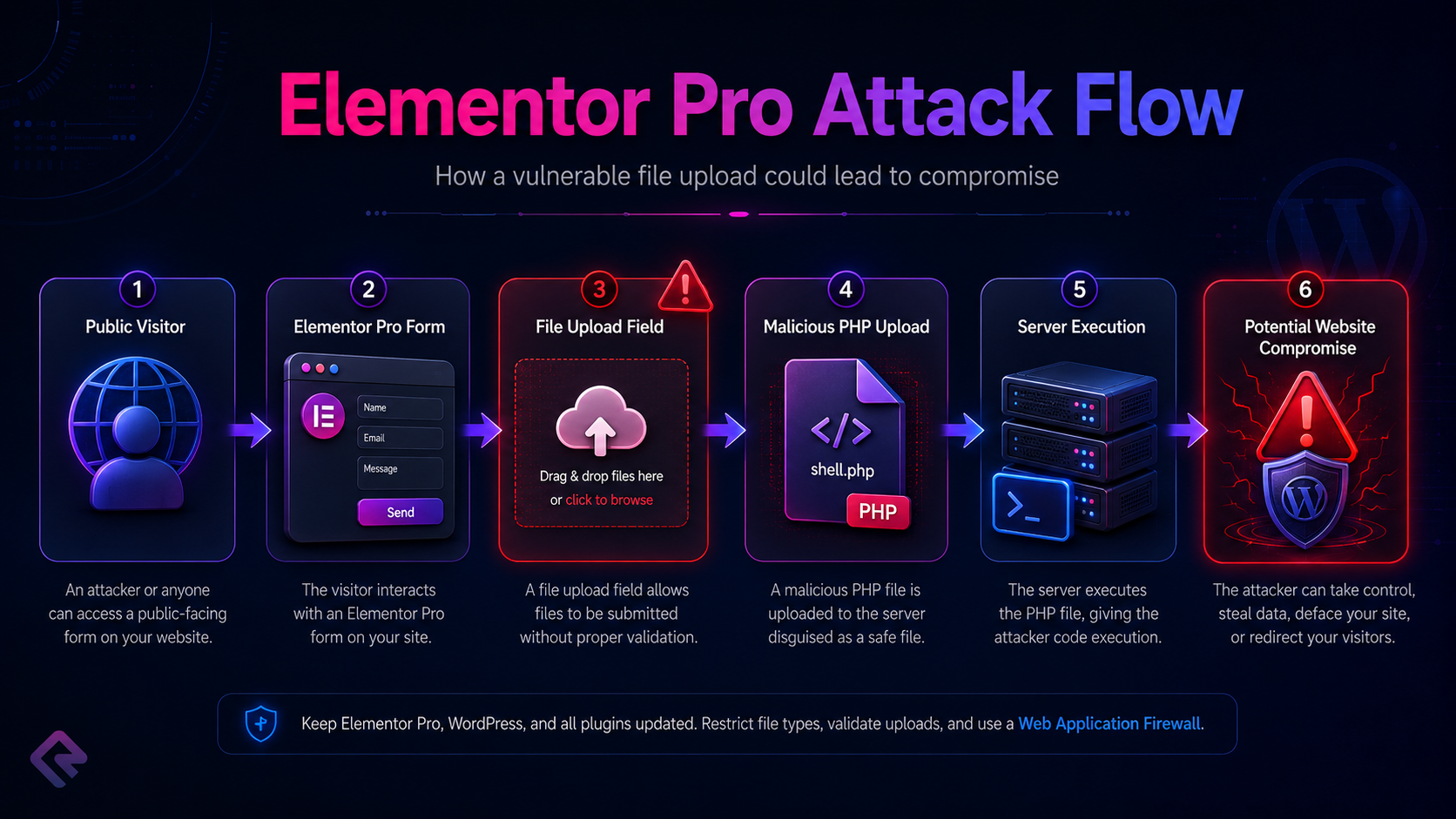
How the Elementor Pro Attack Could Work
The reported attack path is particularly concerning because it does not necessarily require an attacker to authenticate to WordPress. A vulnerable Elementor Pro form containing a File Upload field may provide the initial entry point.
Server Processes File
Potential Code Execution
Website Compromise
Which Elementor Pro Versions Are Affected?
Public vulnerability disclosures identify Elementor Pro versions through 4.2.1 as affected. Elementor Pro 4.2.2 contains the security fix for the reported arbitrary file upload issue.
| Elementor Pro Version | Status | Recommended Action |
|---|---|---|
| 4.2.1 and earlier | Affected | Update immediately |
| 4.2.2 | Security Fix | Minimum recommended patched release |
| Latest Available Release | Recommended | Keep Elementor Pro fully updated |
Is Every Elementor Website Vulnerable?
Not every WordPress website using Elementor has the same exposure. The reported vulnerability concerns Elementor Pro and the Forms functionality, particularly forms configured with a File Upload field.
Review Immediately
- ⚠ Elementor Pro 4.2.1 or earlier
- ⚠ Elementor Forms enabled
- ⚠ Forms containing File Upload fields
- ⚠ Publicly accessible upload forms
- ⚠ No additional upload filtering or WAF controls
Recommended Security State
- ✓ Elementor Pro 4.2.2 or newer
- ✓ WordPress core fully updated
- ✓ Plugins and themes updated
- ✓ File upload monitoring enabled
- ✓ Malware and integrity monitoring enabled
How to Check Your Elementor Pro Version
WordPress administrators can check the installed version directly from the WordPress dashboard under Plugins, or use WP-CLI when command-line access is available.
wp plugin get elementor-pro --field=versionIf the command returns version 4.2.1 or earlier, update Elementor Pro before continuing normal website operations.
Update Elementor Pro with WP-CLI
wp plugin update elementor-proImportant: Elementor Pro is a commercial plugin and typically requires a valid license or authorized package source for automatic updates. Always obtain updates from Elementor or your authorized deployment system.
Verify the Plugin After Updating
wp plugin get elementor-pro

wp plugin status elementor-pro
Signs an Elementor Website May Have Been Compromised
Updating the plugin closes the known vulnerability, but an update alone cannot determine whether exploitation occurred before the patch was installed. Administrators should also inspect the website for indicators of compromise.
Check WordPress Upload Directories for Executable Files
WordPress upload directories normally contain images, documents, videos and other media. PHP or other executable server-side files inside these locations deserve immediate investigation.
find wp-content/uploads -type f \( \
-name "*.php" -o \
-name "*.phtml" -o \
-name "*.phar" \
\) -print
Finding an executable file does not automatically prove that a website has been compromised. Investigate the file's origin, modification time, ownership and contents before taking action.
Review Recently Modified WordPress Files
find . -type f -mtime -3 -printf '%TY-%Tm-%Td %TH:%TM %p\n' | sort -rThis example displays files modified within the last three days. Adjust the time window based on when your environment was patched.
Verify WordPress Core Integrity
WP-CLI can compare WordPress core files against official checksums and identify unexpected modifications.
wp core verify-checksumsImmediate Response Checklist
Create or verify a recent backup before making major changes.
Update Elementor Pro to 4.2.2 or the latest available secure version.
Update WordPress core, themes and other plugins.
Review Elementor forms containing File Upload fields.
Inspect upload directories for unexpected executable files.
Verify WordPress core integrity.
Review administrator accounts and remove unknown users.
Review web server and WordPress activity logs.
Rotate passwords and sensitive credentials if compromise is suspected.
Run malware and file-integrity scans.
Continue monitoring the website after remediation.
CloudRevol Responds Proactively to WordPress Security Risks
Critical WordPress vulnerabilities demonstrate the importance of proactive patch management and continuous monitoring. CloudRevol managed WordPress environments are regularly reviewed for security updates, vulnerable components and suspicious activity.
Our managed approach combines WordPress maintenance, infrastructure security, backups, monitoring and technical support to reduce the operational burden placed on website owners.
CloudRevol Managed WordPress Sites Have Been Reviewed and Patched
Following disclosure of the Elementor Pro security issue, CloudRevol reviewed applicable managed WordPress environments and deployed the required Elementor Pro security update where affected installations were identified. Customers continue to benefit from proactive monitoring, backups and managed security protection.
Why Managed WordPress Hosting Matters During Critical Vulnerabilities
Security advisories can appear quickly, and attackers often begin searching for vulnerable websites soon after technical details become public.
Businesses running WordPress without active monitoring may not immediately know which plugins are vulnerable, whether an update is available, or whether suspicious activity occurred before remediation.
CloudRevol combines managed hosting, security monitoring, backups, WordPress maintenance and engineering support to help customers respond faster when significant WordPress security issues are disclosed.
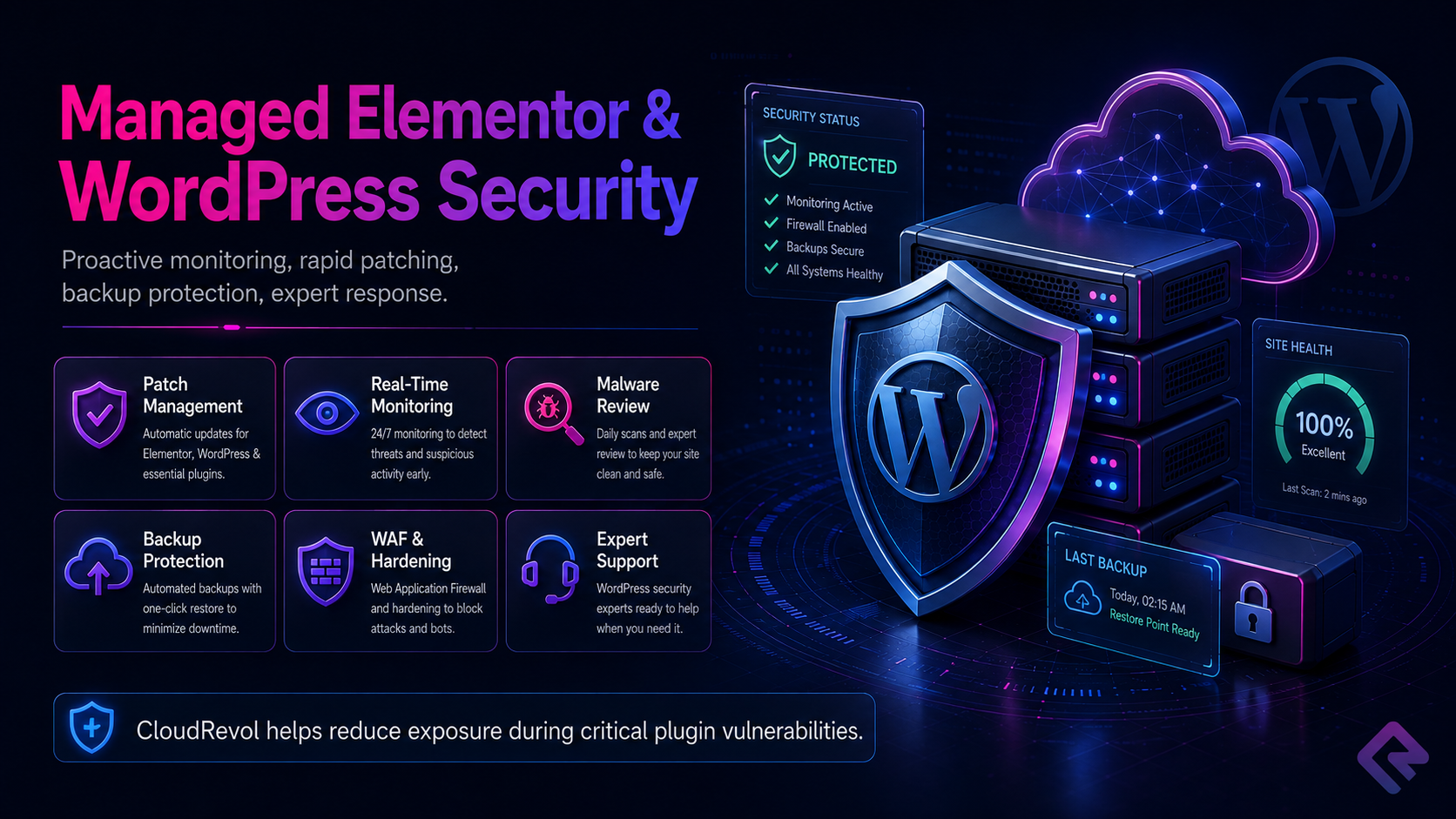
Multiple Layers of WordPress Protection
Plugin updates are essential, but patching should be only one component of a broader WordPress security strategy. A resilient hosting environment combines preventive controls, monitoring, backups and incident-response capabilities.
Patch Management
WordPress core, plugins and themes should be reviewed and updated when security releases become available.
Security Hardening
Server and WordPress configuration should reduce unnecessary attack surfaces and restrict dangerous behavior.
Continuous Monitoring
Infrastructure and application monitoring helps identify unusual resource usage, failures and suspicious behavior.
Automated Backups
Reliable backups provide a recovery path if a security incident damages website files or data.
File Integrity Monitoring
Monitoring unexpected changes to sensitive WordPress files can provide valuable indicators of compromise.
Incident Response
Experienced engineers can investigate suspicious files, restore clean backups and help secure affected environments.
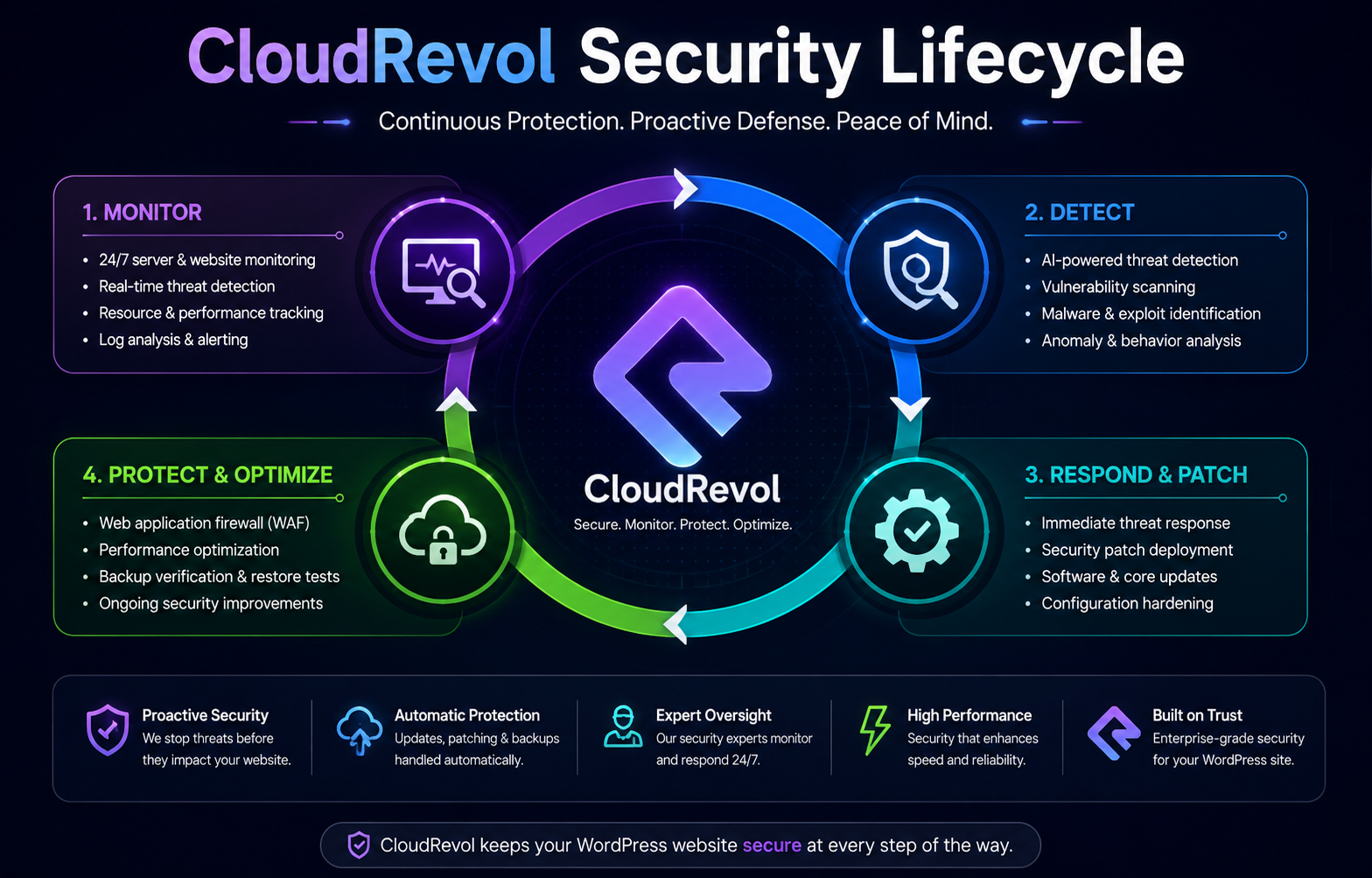
CloudRevol Security Lifecycle
Effective WordPress security is an ongoing process of monitoring, detecting, responding, patching and protecting applications and infrastructure.
Add Another Layer of WordPress Security with CR Guard
CloudRevol CR Guard is designed to strengthen WordPress identity, access and integrity protection while giving administrators greater visibility into important website security events.
Login Protection
Strengthen administrator authentication and WordPress access controls.
Managed Users
Maintain tighter control over privileged WordPress users.
Activity Monitoring
Review security-related WordPress activity and important events.
File Integrity
Detect unexpected changes to important WordPress files.
Malware Detection
Help identify suspicious files and potential malicious code.
REST Protection
Add controls around sensitive WordPress REST operations.
Traditional Hosting vs CloudRevol Managed WordPress Hosting
Hosting a WordPress website is more than keeping a server online. Security incidents demonstrate why patching, monitoring, backups and expert support are important parts of running a production WordPress environment.
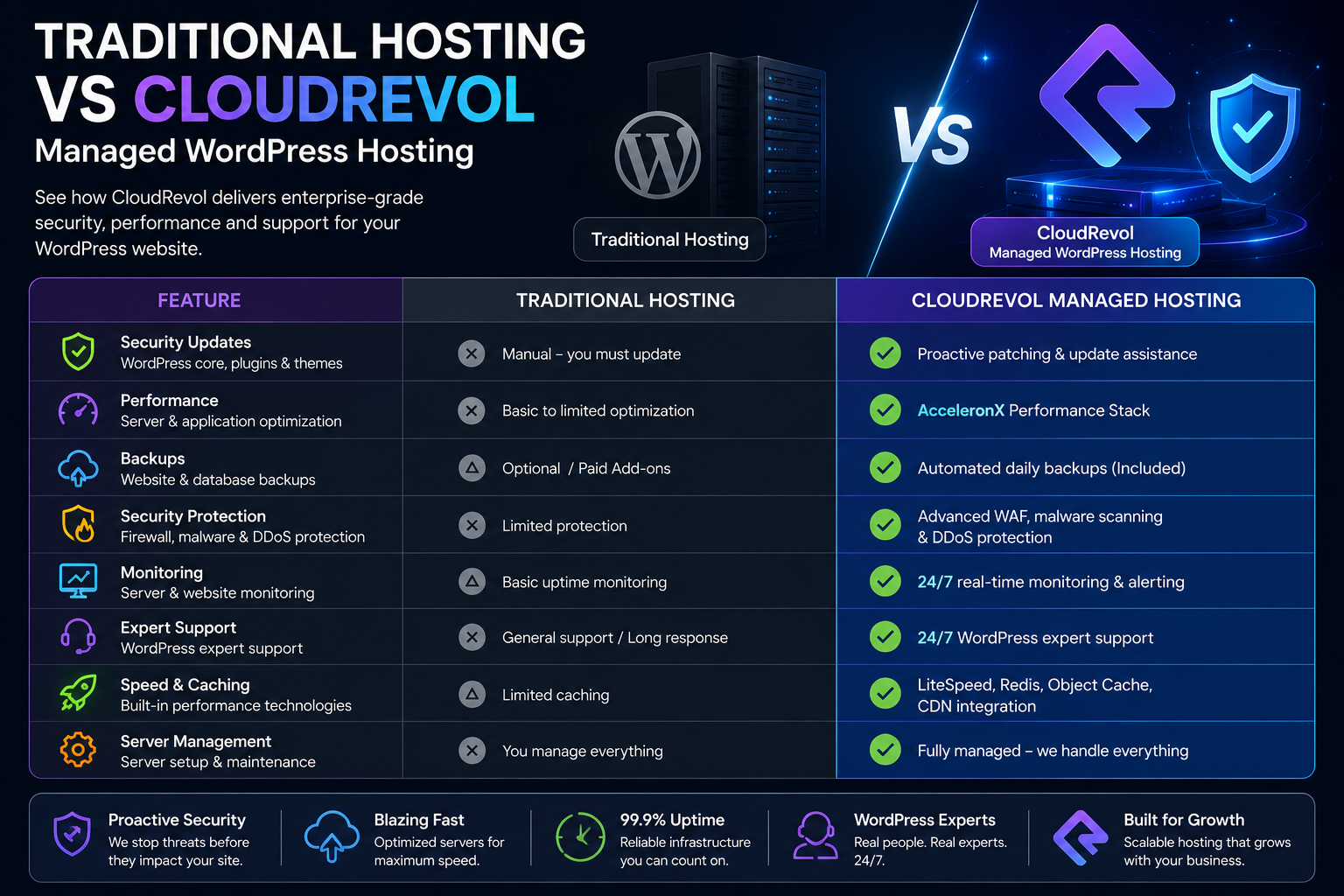
| Protection | Traditional Hosting | CloudRevol Managed Hosting |
|---|---|---|
| WordPress Updates | Customer Managed | Managed Assistance |
| Security Monitoring | Limited | Continuous Monitoring |
| Backups | Optional | Managed Backup Protection |
| Performance Optimization | Basic | AcceleronX |
| Security Hardening | Customer Responsibility | Managed |
| Technical Support | Hosting Support | WordPress + Infrastructure Experts |
Frequently Asked Questions
What is the Elementor Pro file upload vulnerability?
The reported vulnerability involves insufficient restrictions around file uploads through certain Elementor Pro Forms configurations. Under vulnerable conditions, malicious files could potentially be uploaded to the WordPress server.
Which Elementor Pro versions are affected?
Public security disclosures identify Elementor Pro 4.2.1 and earlier as affected by the reported issue.
Which Elementor Pro version contains the security fix?
Elementor Pro 4.2.2 contains the reported security fix. Administrators should normally install the latest available secure release rather than remaining on the minimum patched version.
Does the attacker need a WordPress account?
The vulnerability has been reported as potentially exploitable without authentication when the required vulnerable form configuration is publicly accessible.
Is every website using Elementor vulnerable?
No. The reported issue concerns Elementor Pro and specific Forms functionality involving file uploads. Exposure depends on plugin version and website configuration.
How can I check my Elementor Pro version?
Check Plugins inside the WordPress dashboard or run wp plugin get elementor-pro --field=version with WP-CLI.
Is updating Elementor Pro enough?
Updating closes the reported vulnerability but does not prove that exploitation did not occur beforehand. Websites that were exposed should also be reviewed for suspicious files, unauthorized users and other indicators of compromise.
What files should I look for after a suspected attack?
Investigate unexpected PHP, PHTML or other executable files, particularly inside WordPress upload directories or locations where executable files normally should not exist.
Should I rotate WordPress passwords?
If compromise is suspected, rotating administrator passwords, database credentials, hosting credentials and other sensitive secrets should be considered as part of incident response.
Can backups help after a WordPress compromise?
Yes. A verified clean backup can provide an important recovery option when malicious files or unauthorized changes have damaged a website.
How does CloudRevol protect WordPress websites?
CloudRevol combines managed infrastructure, monitoring, security hardening, backup protection, WordPress maintenance, performance optimization and technical support.
Can CloudRevol help clean a compromised WordPress website?
CloudRevol can assist with security investigation, malware review, recovery planning, WordPress hardening and managed hosting migration depending on the affected environment.
Need Help Protecting or Recovering Your WordPress Website?
Move your WordPress website to a managed platform built around performance, security, backups and expert support. CloudRevol helps businesses reduce infrastructure complexity while maintaining a stronger operational security posture.
This CloudRevol article is provided for security awareness and educational purposes. Vulnerability exposure can vary based on plugin version, website configuration and hosting environment. Administrators should verify applicable vendor security guidance and maintain current backups before performing production changes.