

Node.js Production Deployment Guide
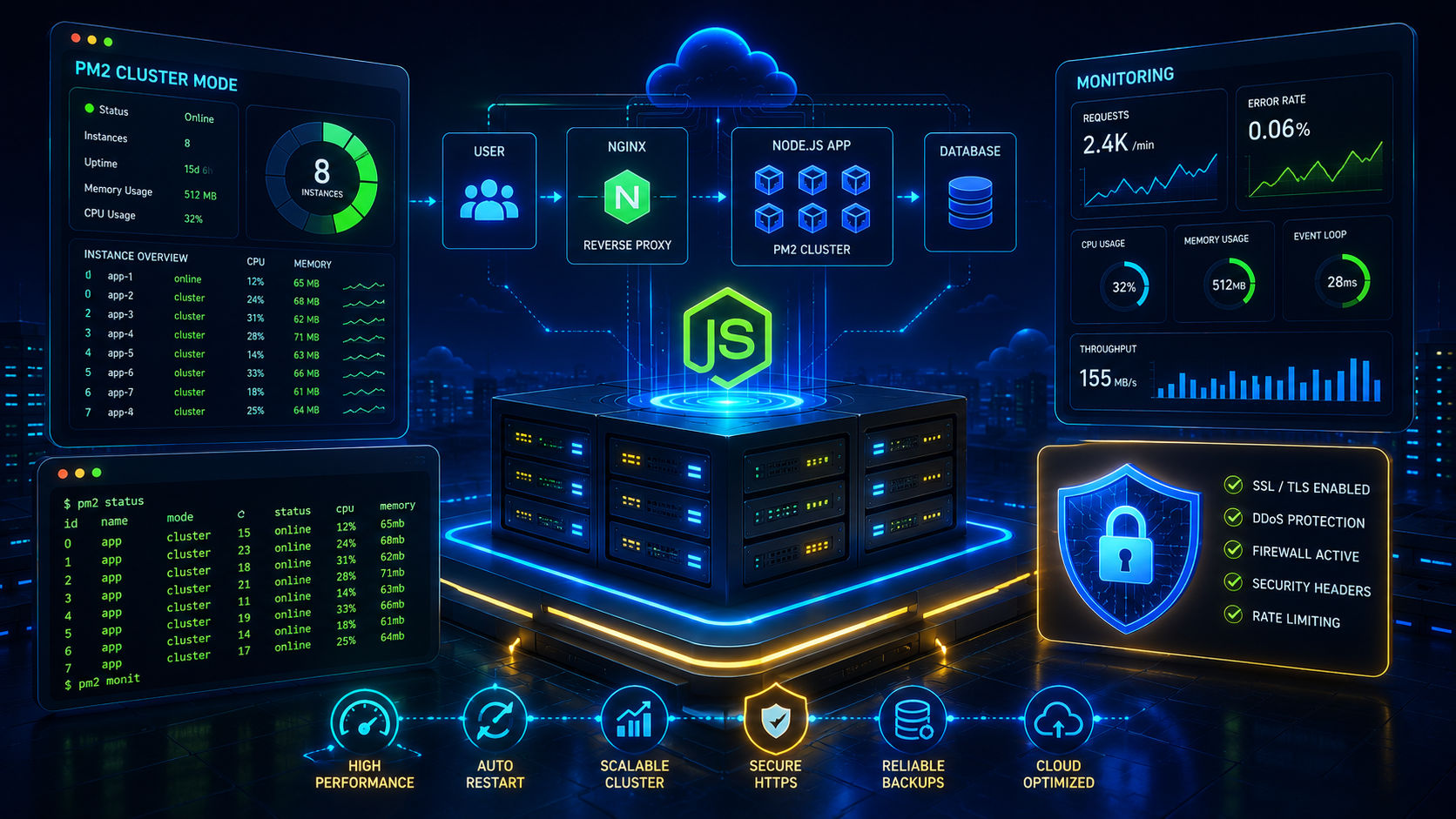
Deploying Node.js applications in production requires proper process management, security hardening, monitoring, SSL certificates and performance tuning. This guide covers everything needed to run reliable, scalable Node.js applications in production.
Production Deployment Checklist
Install Node.js LTS
Always deploy the latest supported LTS version for stability and security.
curl -fsSL https://deb.nodesource.com/setup_22.x | sudo -E bash -

sudo apt install nodejs -ynode -v
npm -vCreate Production User
sudo adduser deploy

sudo usermod -aG sudo deploysu - deployRecommended Folder Structure
/applications/

├── myapp/
│   ├── current/
│   ├── releases/
│   ├── logs/
│   ├── backups/
│   └── ecosystem.config.js
Install PM2
PM2 is the recommended process manager for Node.js production workloads.
npm install -g pm2pm2 -vStart Application
pm2 start app.js --name myapppm2 statuspm2 logs myapppm2 restart myapppm2 stop myappSave PM2 Configuration
pm2 savepm2 startupProduction Ecosystem File
module.exports = {
  apps: [
    {
      name: "cloudrevol-app",

      script: "./server.js",

      instances: "max",

      exec_mode: "cluster",

      autorestart: true,

      watch: false,

      max_memory_restart: "500M",

      error_file: "./logs/error.log",

      out_file: "./logs/out.log",

      log_file: "./logs/combined.log",

      time: true,

      env: {
        NODE_ENV: "production",
        PORT: 3000
      }
    }
  ]
}
Start Using Ecosystem File
pm2 start ecosystem.config.jspm2 reload ecosystem.config.jsCluster Mode Deployment
Cluster mode utilizes all available CPU cores and provides better scalability.
pm2 start app.js -i maxpm2 scale myapp 8pm2 scale myapp 2CloudRevol Recommendation
Always use PM2 Cluster Mode in production and place Nginx in front of Node.js applications to improve performance, security and reliability.
Nginx Reverse Proxy
Never expose Node.js directly to the internet. Use Nginx as a reverse proxy for security, performance and SSL termination.
server {

    listen 80;

    server_name example.com;

    location / {

        proxy_pass http://127.0.0.1:3000;

        proxy_http_version 1.1;

        proxy_set_header Upgrade $http_upgrade;

        proxy_set_header Connection "upgrade";

        proxy_set_header Host $host;

        proxy_set_header X-Real-IP $remote_addr;

        proxy_set_header X-Forwarded-For $proxy_add_x_forwarded_for;

        proxy_set_header X-Forwarded-Proto $scheme;

    }

}sudo nginx -t
sudo systemctl reload nginxEnable SSL Certificates
Secure all traffic using HTTPS.
sudo apt install certbot python3-certbot-nginx -ysudo certbot --nginx -d example.com -d www.example.comsudo certbot renew --dry-runNext.js Production Deployment
npm install

npm run buildpm2 start npm --name nextjs-app -- startpm2 saveExpress.js Production Deployment
NODE_ENV=production node server.jspm2 start server.js --name express-appEnvironment Variables
Never hardcode secrets inside application code.
PORT=3000

NODE_ENV=production

DB_HOST=localhost

DB_PORT=5432

DB_NAME=productiondb

DB_USER=appuser

DB_PASSWORD=replace-me

JWT_SECRET=replace-me
UFW Firewall Configuration
sudo ufw allow OpenSSHsudo ufw allow 80sudo ufw allow 443sudo ufw enablesudo ufw status verboseInstall Fail2Ban
sudo apt install fail2ban -ysudo systemctl enable fail2ban
sudo systemctl start fail2bansudo fail2ban-client statusSecurity Headers
add_header X-Frame-Options "SAMEORIGIN";

add_header X-Content-Type-Options "nosniff";

add_header Referrer-Policy "strict-origin";

add_header X-XSS-Protection "1; mode=block";
Rate Limiting
limit_req_zone $binary_remote_addr zone=api:10m rate=10r/s;

location /api {

    limit_req zone=api burst=20 nodelay;

}
Log Rotation
pm2 install pm2-logrotatepm2 set pm2-logrotate:max_size 10Mpm2 set pm2-logrotate:retain 30Health Check Endpoint
Create a simple endpoint for uptime monitoring.
app.get("/health", (req, res) => {

  res.status(200).json({
    status: "ok"
  });

});
Production Security Checklist
Security
- ✓ HTTPS Enabled
- ✓ Firewall Enabled
- ✓ Fail2Ban Installed
- ✓ Security Headers Enabled
- ✓ Environment Variables Protected
Reliability
- ✓ PM2 Running
- ✓ Monitoring Enabled
- ✓ Automated Backups
- ✓ Health Checks
- ✓ Log Rotation Enabled
Zero Downtime Deployments
One of the biggest advantages of PM2 is the ability to deploy new application versions without interrupting active users.
pm2 reload ecosystem.config.jspm2 reload allWhy Reload Instead Of Restart?
PM2 reload performs a graceful restart by launching new processes before stopping old ones, resulting in near-zero downtime deployments.
Monitoring & Alerting
Monitoring helps identify performance bottlenecks, memory leaks and infrastructure issues before they impact customers.
pm2 monitpm2 logspm2 statusZabbix
Infrastructure and application monitoring.
Prometheus
Metrics collection and alerting.
Grafana
Visualization dashboards and reporting.
CI/CD Best Practices
- ✓ Use Git Version Control
- ✓ Automate Testing Before Deployment
- ✓ Build Before Release
- ✓ Deploy Using Release Folders
- ✓ Enable Rollback Procedures
- ✓ Automate Backups
- ✓ Validate Health Checks After Deployment
GitHub Actions Example
name: Deploy

on:
  push:
    branches:
      - main

jobs:
  deploy:

    runs-on: ubuntu-latest

    steps:

      - uses: actions/checkout@v4

      - uses: actions/setup-node@v4

      - run: npm install

      - run: npm run build
Next.js Production Tips
- ✓ Use Image Optimization
- ✓ Enable Compression
- ✓ Use ISR When Possible
- ✓ Optimize Metadata
- ✓ Implement Sitemap & Robots
- ✓ Use CDN Delivery
- ✓ Monitor Core Web Vitals
CloudRevol Node.js Hosting Stack
CloudRevol provides a fully managed Node.js hosting environment optimized for performance, security and reliability.
PM2 Optimization
Production-ready process management and clustering.
AcceleronX Performance
Advanced optimizations for faster application delivery.
Security Hardening
Firewall, malware scanning and proactive patching.
Monitoring
Continuous infrastructure and application monitoring.
Automated Backups
Scheduled backups and rapid recovery options.
Free Migration
Move existing applications without additional costs.
Frequently Asked Questions
Should I use PM2 in production?
Yes. PM2 provides process management, clustering, automatic restarts and monitoring.
Should Node.js run behind Nginx?
Absolutely. Nginx improves security, SSL handling, caching and request routing.
What is the best Node.js deployment setup?
PM2 Cluster Mode, Nginx Reverse Proxy, SSL, Monitoring and Automated Backups.
How do I achieve zero downtime deployments?
Use PM2 reload commands instead of restart commands.
Need Help Deploying Node.js Applications?
CloudRevol provides managed Node.js hosting with PM2, Nginx, SSL, monitoring, backups, security hardening and AcceleronX performance optimizations.